
Screens are often associated with passive entertainment, but they can also support active, creative hobbies. The right activity can combine digital tools with hands-on work, giving you a chance to learn, make, experiment, and build something you can see or use.
These hobbies are ideal for people who enjoy technology but also want a break from simply watching or scrolling. They can be enjoyed alone, with friends, or as family projects. Many can begin with tools you already have, such as a smartphone, tablet, or computer.
Why Combine Screen Time With Hands-On Activity?
Digital tools can make creative projects easier to plan, practice, and personalize. Tutorials can explain new techniques, apps can help organize ideas, and software can provide a flexible place to experiment.
Hands-on work adds a different experience. Cutting, painting, building, arranging, or playing an instrument engages your attention in a physical way. It also gives you a finished object or performance to enjoy.
Combining both types of activity can help you:
– Learn new skills at your own pace
– Turn online inspiration into a physical project
– Practice without wasting materials
– Explore ideas before committing to them
– Create personalized gifts and decorations
– Spend screen time with a clear purpose
Digital Drawing and Traditional Art
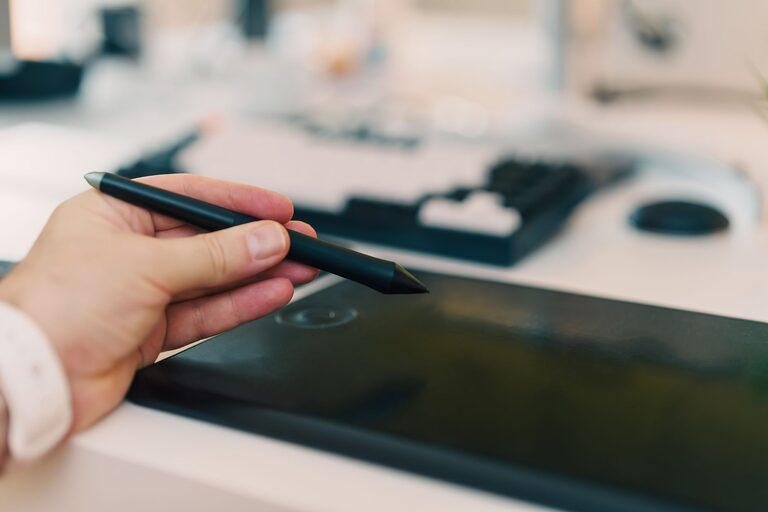
Digital drawing is an accessible way to explore color, shape, and composition. A tablet or computer can serve as a sketchbook, while a drawing app provides tools such as brushes, layers, and color palettes.
The hands-on part begins when you use your digital designs in the real world. You might print artwork, transfer a design to a canvas, create greeting cards, or use the image as a reference for a painting.
Project Ideas
– Sketch a simple landscape digitally, then paint it on paper
– Design stickers and print them for a journal
– Create a repeating pattern for wrapping paper
– Draw a room layout before rearranging furniture
– Make a digital illustration and turn it into wall art
Beginners can start by copying simple shapes or following a short tutorial. Try using a stylus if you want a more natural drawing experience, but a mouse or touchscreen can work too.
Photography and Photo Displays
Photography naturally combines a screen-based tool with real-world exploration. A smartphone or camera helps you capture images, while walking, arranging objects, and choosing subjects keeps the activity active.
Instead of letting photos remain in a digital gallery, turn them into something physical. Print a small collection, make a collage, or create a seasonal display for your home.
Ways to Make Photography More Hands-On
– Photograph textures, colors, or interesting objects on a walk
– Create a themed photo series, such as doors or shadows
– Print favorite images and arrange them in a scrapbook
– Make a photo board with captions and decorative paper
– Build a small album around a trip, event, or personal project
Editing apps can help you crop images, adjust brightness, or create a consistent style. Keep the editing simple at first. The goal is to support your creative choices rather than spend all your time changing settings.
Home Design and Miniature Spaces
Home design software and planning apps can turn decorating into a creative project. You can test furniture arrangements, experiment with colors, and create a visual plan before moving anything.
The hands-on stage includes measuring a room, making a mood board, painting sample boards, or building a miniature model. This approach is especially useful if you enjoy design but want a project that goes beyond browsing inspiration.
Try a Small Design Challenge
Choose one area, such as a desk, shelf, reading corner, or entryway. Use a digital tool to collect ideas and plan the layout. Then make one physical improvement, such as:
– Reorganizing the space
– Creating handmade storage labels
– Adding a painted container
– Making a framed print
– Building a small shelf display
Starting with a small area keeps the project manageable and gives you a clear result.
Music Making and Physical Instruments
Music apps make it easier to experiment with rhythm, melody, and sound. You can use a computer or tablet to arrange loops, record ideas, or learn basic music theory.
Pair that digital practice with a physical instrument. A keyboard, guitar, ukulele, hand drum, or even simple percussion objects can turn a digital idea into a hands-on performance.
A Simple Music Routine
- Watch a short lesson or listen to an example.
- Practice one technique on a physical instrument.
- Record a short version using an app.
- Listen back and note one thing to improve.
- Repeat the process with a new rhythm or chord.
You do not need to produce a complete song. Learning a short melody or creating a one-minute sound experiment can be rewarding.
Craft Planning and Handmade Projects
Craft videos and digital patterns can provide helpful instructions for physical projects. Online tutorials allow you to compare techniques, pause difficult steps, and find ideas that match your skill level.
The best results often come from adapting a project instead of copying it exactly. Change the colors, size, materials, or final use to make the craft your own.
Hands-On Craft Ideas
– Follow a digital sewing pattern
– Use a printable template for paper crafts
– Design a greeting card on a computer, then add handmade details
– Plan a knitting or crochet project with a tracking app
– Create a digital pattern for painting or wood burning
– Use online instructions to build a simple model
Before starting, gather all your materials and read through the instructions. This can prevent interruptions and help you understand the full process.
Stop Motion Animation
Stop motion combines digital planning with physical building and arranging. You can create characters from clay, paper, blocks, or household objects, then photograph them one frame at a time.
The process teaches patience, storytelling, and problem-solving. Even a short animation can involve designing a setting, creating characters, planning movement, and editing the final sequence.
Getting Started
Begin with a simple idea that can be completed in a few seconds. For example, a paper character might walk across a table, or a toy might appear to build a small tower.
Use a stable surface and keep the camera in one position. Move the subject only a small amount between photos. A stop motion app can combine the images and help you adjust the speed.
Gardening With Digital Planning Tools
Gardening may seem entirely screen-free, but digital tools can make it easier to plan and learn. Gardening apps can help you organize planting dates, identify plants, and keep notes about sunlight or watering.
The hands-on work includes preparing soil, planting seeds, labeling containers, and caring for the plants. You can also photograph growth over time and create a digital garden journal.
A Beginner-Friendly Project
Grow herbs in small containers near a sunny window. Use a digital planner to track planting and watering, then decorate the containers with handmade labels. Photograph the plants each week to create a simple growth timeline.
This project combines observation, organization, and practical care without requiring a large outdoor space.
Tips for Choosing the Right Hobby
When selecting a hobby, consider what kind of balance you want. If you spend much of your day typing, choose an activity that involves drawing, building, or moving materials. If you enjoy making things but need guidance, choose a project supported by tutorials or planning software.
Keep these tips in mind:
– Start with a project that can be finished in one or two sessions
– Use materials you already own when possible
– Choose tools that are easy to understand
– Set a clear purpose for your screen time
– Save, print, display, or use what you create
– Leave room for experiments and mistakes
The goal is not to avoid screens completely. It is to use them as creative tools that lead to action. Whether you are designing a card, arranging a photo display, recording music, or building a miniature scene, the combination of digital planning and hands-on making can turn ordinary screen time into a satisfying hobby.